
Aerial shots can lift a wedding film from lovely to cinematic — or, handled carelessly, make it feel like a real-estate listing. Drone wedding footage editing is the craft of weaving those aerials into the story so they feel earned rather than bolted on. The shots are only half the job; the edit decides whether they elevate the film or stick out. Here is how to do it well in Premiere Pro.
When to use a drone shot — and when not to
Aerials earn their place as establishing shots of the venue, a reveal as you rise over the landscape, a transition between locations, or the grand exit. What kills a film is overuse: opening every section with an aerial, or holding a slow move so long the viewer drifts. One or two well-placed aerials beat a montage of them. Treat drone footage as punctuation, not paragraphs.
Colour matching aerials to your ground footage
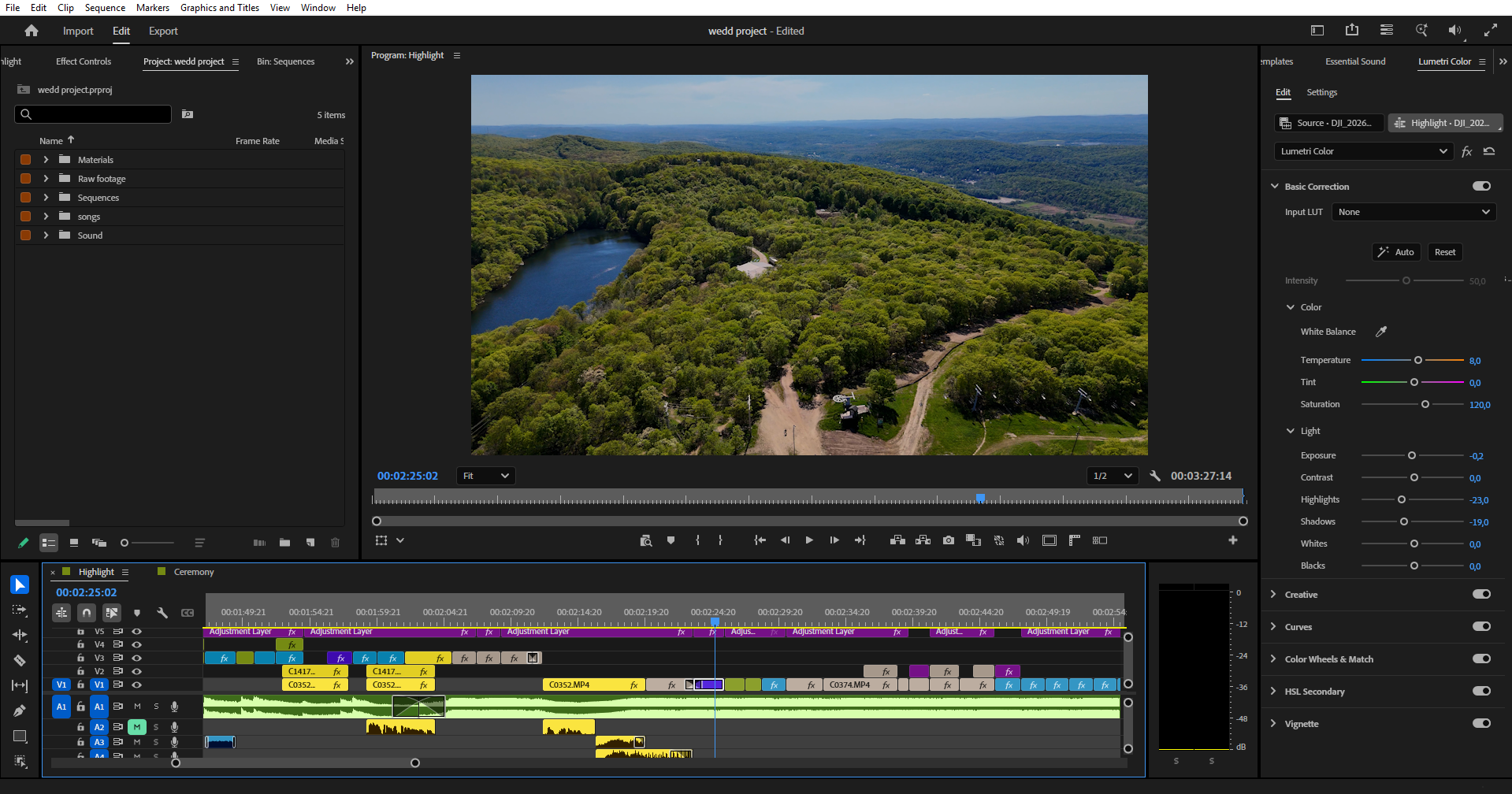
The biggest giveaway of lazy drone wedding footage editing is colour. Drones often record a flat or log profile on a different sensor to your main cameras, so straight off the card they look washed out and mismatched. Correct exposure and white balance first, then match the aerial to your ground footage before any creative look — our guide on wedding video color grading covers the matching process. If the footage is log, apply the conversion before you start grading. Adobe’s colour grading overview is a useful reference for the panel.
Stabilising and smoothing
Even good aerials carry micro-jitters and the odd gimbal wobble. Trim out the takeoff, the landing, and the moments where the drone visibly fights the wind. For clips that still need help, apply Warp Stabilizer sparingly — too much introduces a rubbery warp that looks worse than the original shake. The goal is slow, smooth, deliberate movement; if a move feels twitchy, cut it rather than fix it.
Pacing and speed
Aerials read best as slow, sweeping moments that let the scale breathe. If you shot at a higher frame rate, a gentle slow-motion makes the move feel graceful and intentional. Time your aerials to music swells and let them land on a beat, but cut away before the move overstays its welcome — the impact is in the reveal, not the duration.
Transitions in and out
Motivated transitions sell an aerial: match a push-in on the ground to a rising drone move, or use a clean match cut on similar shapes or motion. Avoid spin and zoom transitions — they date a film instantly and pull attention away from the moment. More often than not, a simple cut on a musical beat is the most cinematic choice.
Common drone editing mistakes
The usual culprits: too many aerials, mismatched colour, leaving in wobble or lens distortion, holding shots too long, abrupt speed changes, and forgetting that drone clips need music or ambience rather than raw motor noise on the audio track. Fix the colour match and the pacing and most drone edits immediately look more professional.
When to outsource the edit
Blending aerials cleanly takes time — matching, stabilising, and pacing each shot on top of the rest of the film. A repeatable wedding video editing workflow helps, but when the edits stack up, handing them off keeps your delivery on schedule.
Love Story Editing handles full films, aerials included, through our wedding video editing service. Choose a teaser edit, a ceremony edit, or a full wedding film, see the work on our video portfolio, or request a quote.
The takeaway
Good drone wedding footage editing is about restraint and integration: use aerials as punctuation, match their colour to your ground footage, stabilise and pace them deliberately, and transition with motivated cuts. Get that right and your aerials feel cinematic rather than tacked on — and when the editing load grows, it is a natural stage to delegate.