
A wedding ceremony happens once, in real time, and you cannot ask for a second take — which is exactly why multicam wedding video editing is the backbone of professional coverage. Two or three angles let you cut a living, breathing ceremony and catch reactions a single camera would miss. Done well it is invisible; done badly it is jarring. Here is how to edit multi-camera wedding footage properly in Premiere Pro.
Why weddings demand multiple cameras
The ceremony, the speeches, and the first dance are all one-take moments. A second angle gives you the couple and the guests’ reactions, a safety net if one camera is blocked or out of focus, and the variety that keeps a long ceremony watchable. You are not just covering the action — you are buying yourself choices in the edit that you can never get back on the day.
Record for the edit: one clean audio reference
Multicam syncing lives and dies on audio, so record sound on every camera even if the quality is rough, and make sure at least one source — a lav, the officiant’s mic, or a dedicated recorder — captures clean, high-quality audio. That clean track becomes your sync anchor. If you can run timecode or even just clap a slate in front of each camera at the start, syncing later gets faster still.
The multicam wedding video editing workflow in Premiere
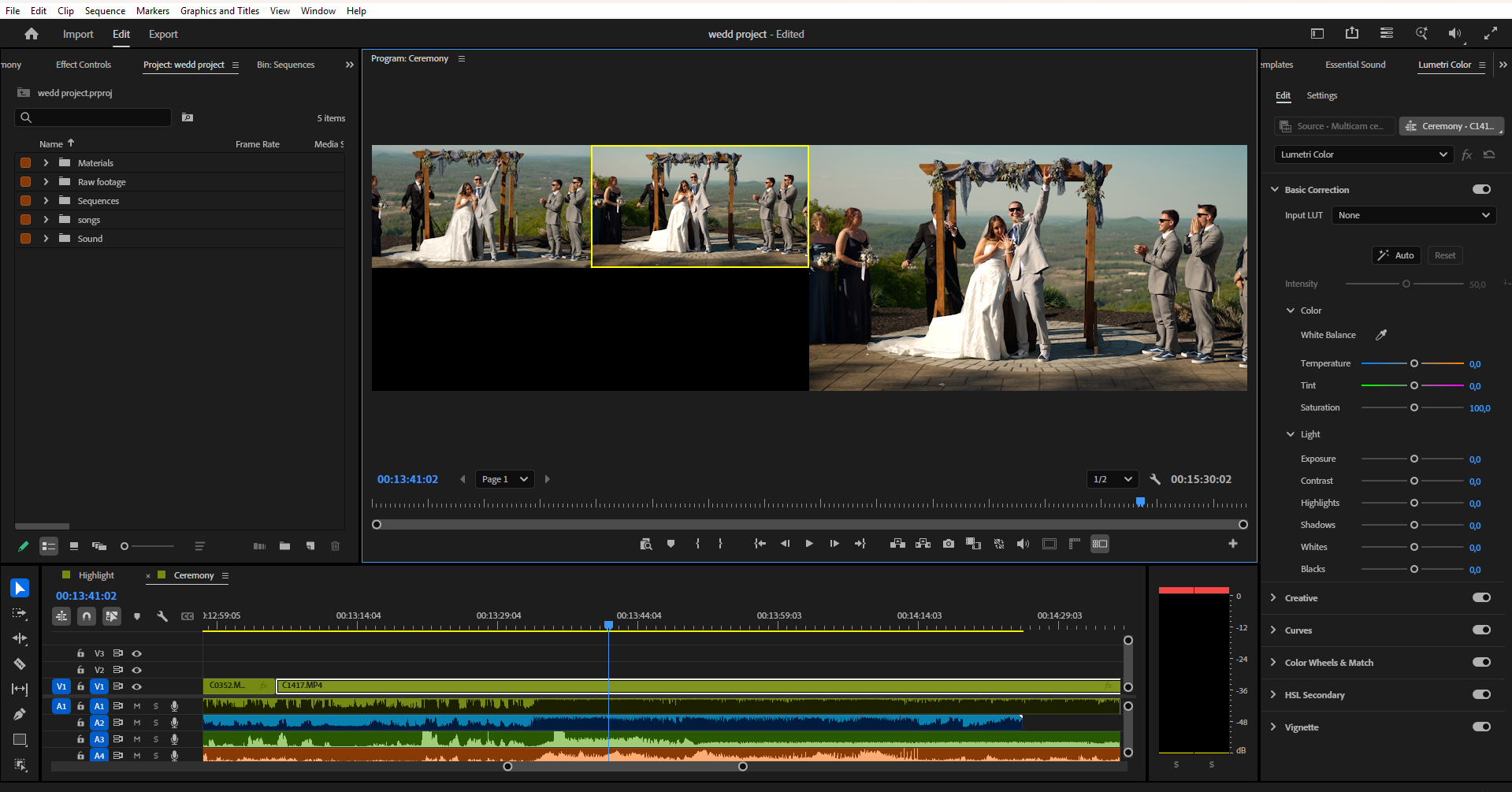
In Premiere Pro, drop all your angles into a bin, select them, and choose Create Multi-Camera Source Sequence. Sync by Audio (the waveform method, ideal for weddings), by Timecode if your cameras were jam-synced, or by In Points if you clapped a slate. Premiere builds a single multicam clip from your angles. Edit any colour or effects on that source sequence rather than on every cut segment, so a fix applies across all uses of that angle.
Cutting between cameras
Drop the multicam clip into a sequence and enable the Multi-Camera view in the Program Monitor — now you can watch all angles at once and switch live with the number keys as the footage plays, just like a broadcast director. Make a first pass switching in real time, then refine the cut points afterward. Cut on motion and reactions, hold a wide for context, and lock your audio to the one clean source so you do not get the dreaded all-left-channel audio bug.
Matching your cameras
Two camera bodies almost never match straight out of the box, and nothing exposes a multicam cut faster than one angle reading warm and the next cold. Balance exposure and white balance across angles before any creative look — our guide on wedding video color grading covers the matching process in depth. Grade on the source clips so the correction carries through every cut automatically.
Performance: proxies keep multicam smooth
Real-time switching between several 4K angles is demanding, and stuttering playback makes accurate cutting impossible. Generate proxies so the multicam monitor plays back smoothly on any machine, then relink to full resolution for export. Adobe’s guide to the ingest and proxy workflow shows how to generate them automatically on import. If you are still struggling, drop the playback resolution while you cut.
Common multicam mistakes
The usual ones: cutting too fast into a music-video rhythm that exhausts the viewer; ignoring screen direction so the eyeline jumps; switching between two near-identical angles, which reads as a jump cut; forgetting to lock audio to a single source; and mismatched colour between bodies. Most trace back to rushing the first pass — switch loosely, then refine deliberately, and the edit settles.
When to outsource multicam edits
Multicam multiplies everything — more footage to sync, match, and cut — so it is often the slowest part of a wedding edit. A repeatable wedding video editing workflow helps, but when multicam ceremonies stack up in peak season, handing them off is the cleanest fix.
Love Story Editing handles full multicam edits as part of our wedding video editing service. Choose a teaser edit, a ceremony edit, or a full wedding film, see the work on our video portfolio, or request a quote.
The takeaway
Strong multicam wedding video editing comes down to a clean audio anchor, an audio-synced multicam source sequence, a loose live switching pass refined afterward, matched colour across angles, and proxies to keep it all smooth. Nail those and your ceremony coverage feels effortless and cinematic — and when multicam edits become the bottleneck in your season, they are an easy stage to delegate.